Lyira for iPhone, iPad and Mac
Your chat.
Stays with you.
Decentralized encrypted chat. No account, no server. Optional payments with Apple Pay.
 App StoreComing soon to the App Store
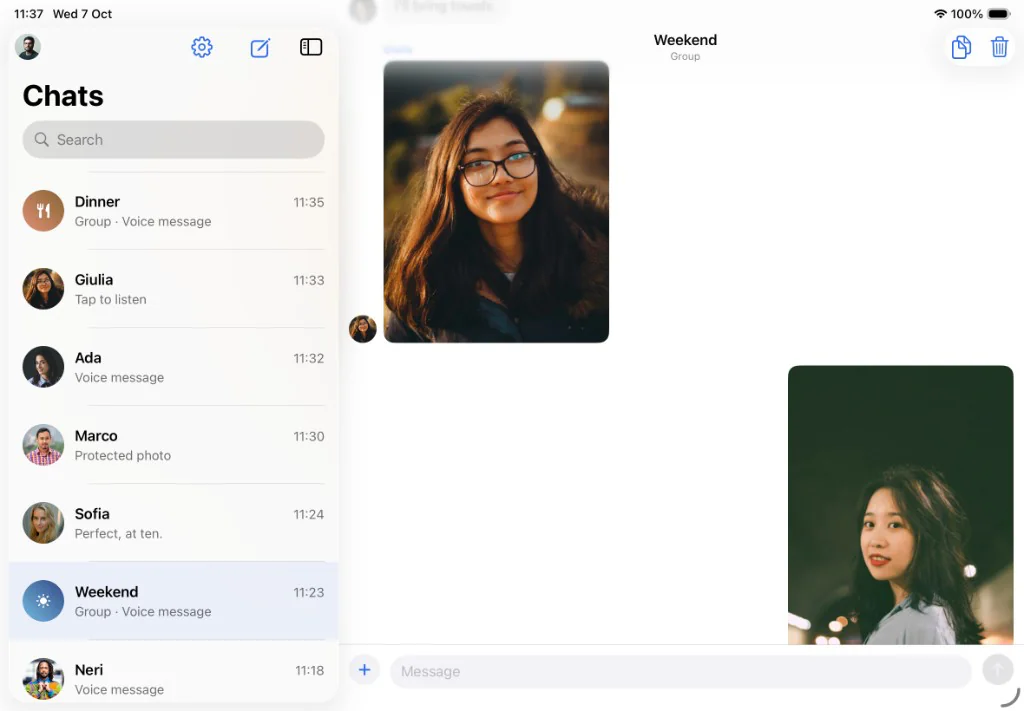
Scan, write, share and send money.
- No cloud account
- Contacts via QR only
- Payments with Apple Pay
How it works
From your first scan to paying in chat: Lyira step by step.
1. Scan
Add a contact with a QR code.
Open the scanner and frame someone's code to add them. No global directory, no number to look up.
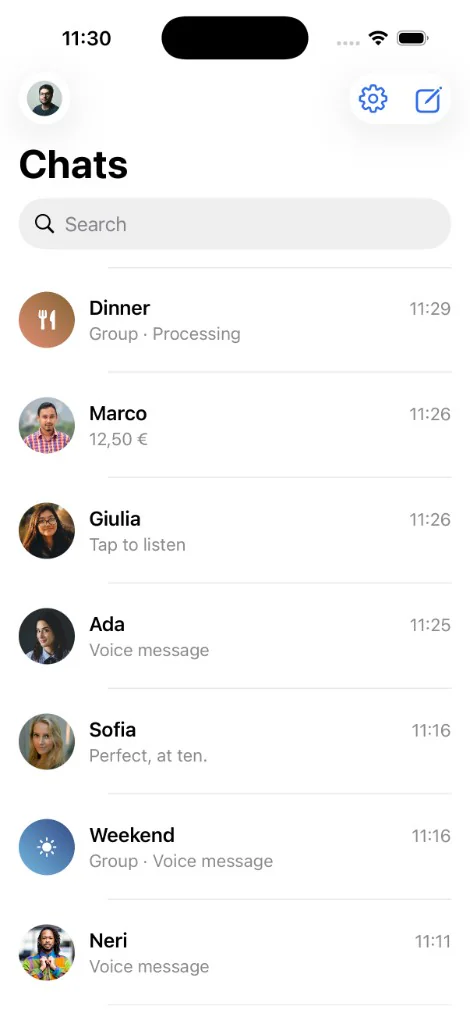
2. Your code
Show your QR to be found.
The code carries your public key. Anyone who scans it adds you and connects online.
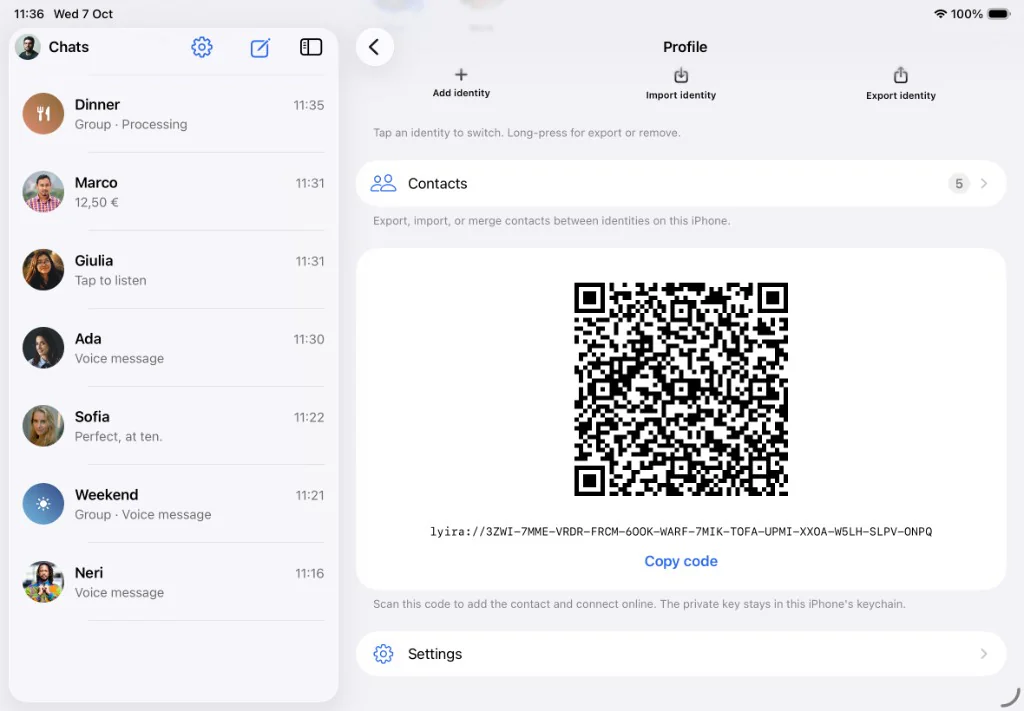
3. Write
Text and voice in chat.
Reply with text, emoji or voice notes. The conversation stays end-to-end encrypted between your devices.
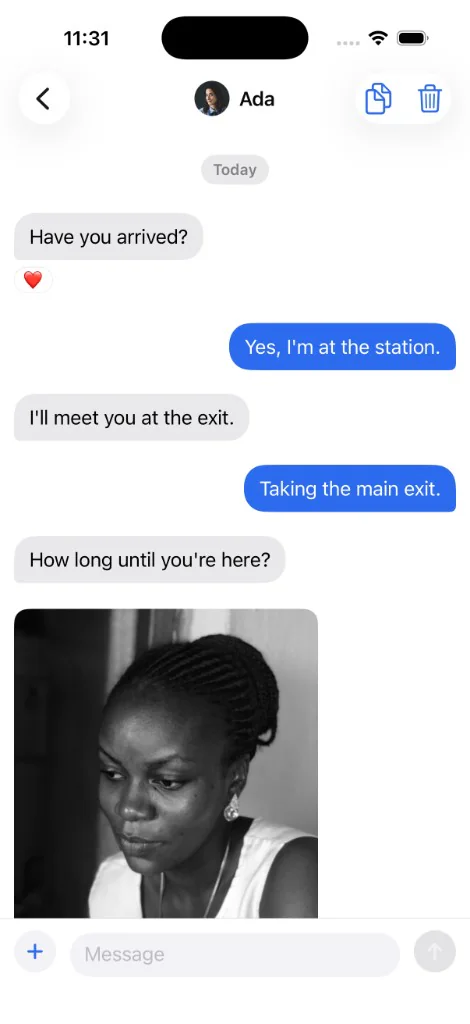
4. Photos
Send images in chat.
Attach photos from your library or camera. Open them full screen with a tap and choose to reply, save or delete.

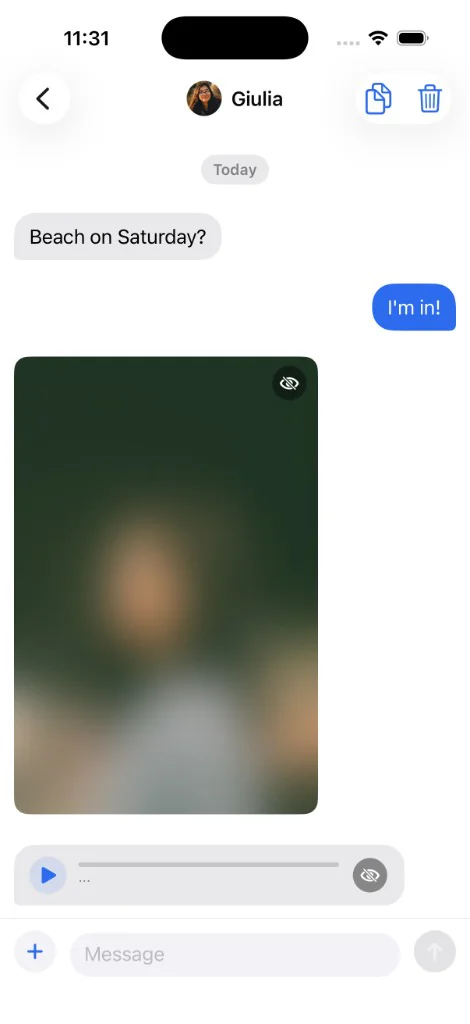
5. View once
Photos and audio that disappear.
Send view-once media. After it is opened, it does not stay in chat.
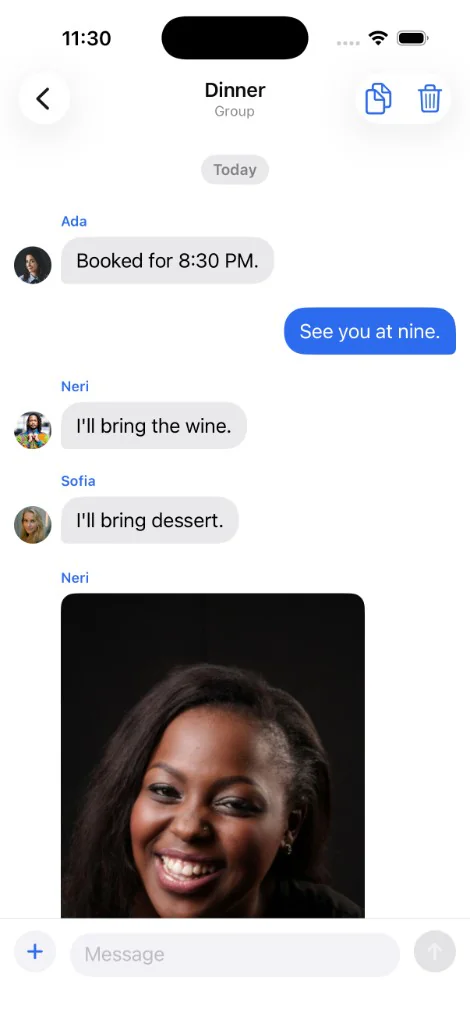
6. Groups
Plan together.
Create groups with photos, voice notes and shared history. Built for dinners, trips and projects.
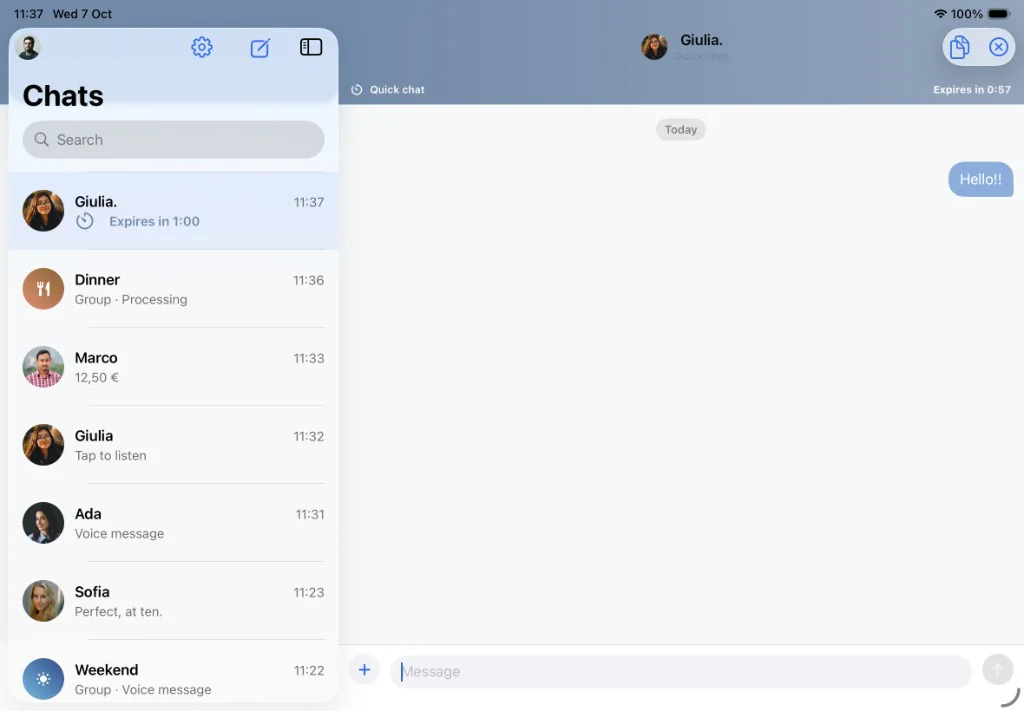
7. Quick chat
Messages that disappear.
Start a temporary chat: messages delete one minute after the last one. Your normal history stays untouched.
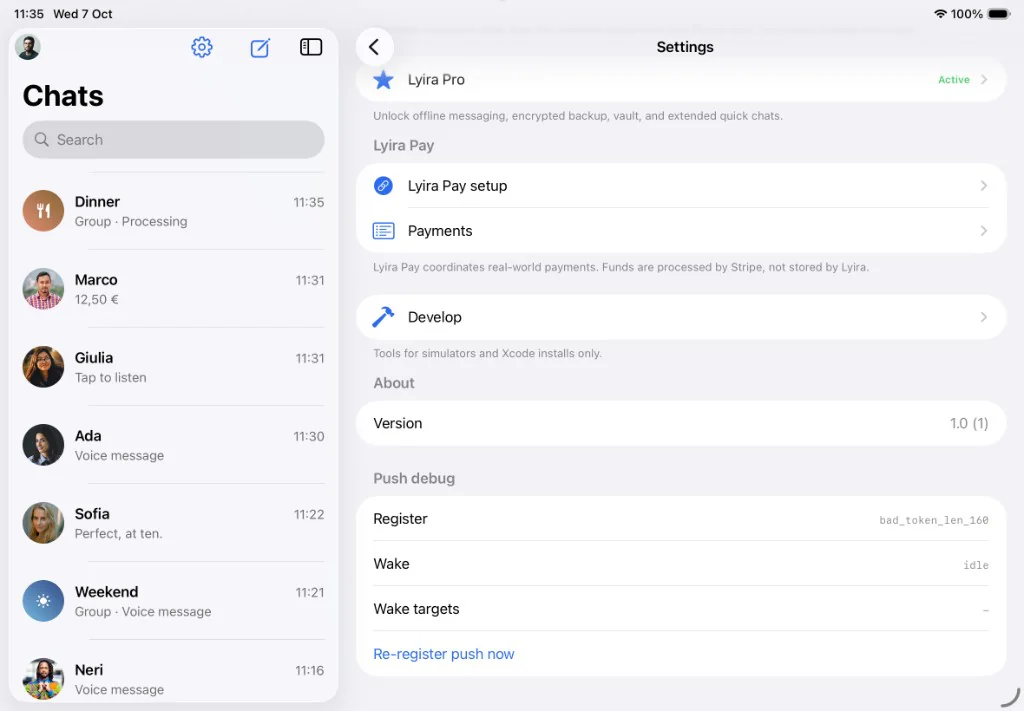
8. Lyira Pay
Set up payments.
Enable Lyira Pay in the app with Apple Pay. Funds are processed by Stripe, Lyira does not hold them.
9. Payments
Send money in chat.
The payment stays visible in chat: the list shows the amount right away, like the 12.50 euros with Marco.
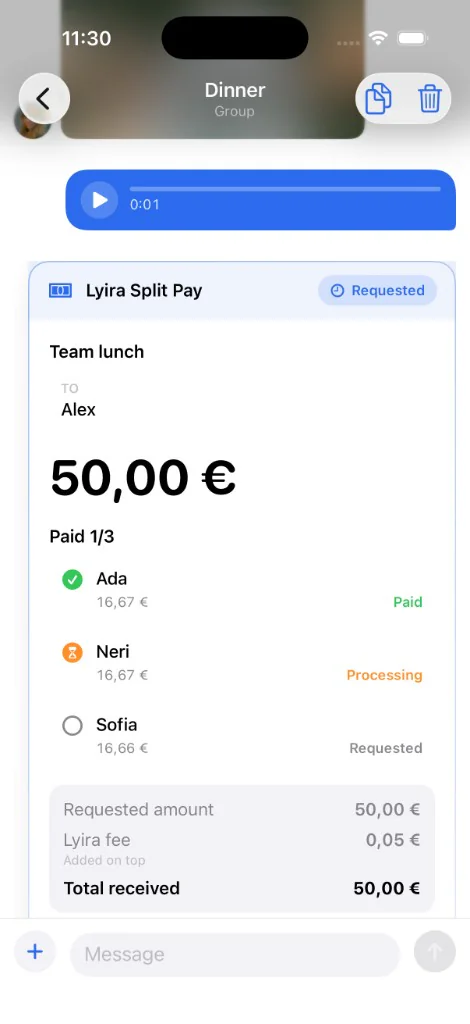
10. Split Pay
Split the bill in a group.
Send a split request in a group and see who paid, who is processing and who still owes.
11. Identities
Personal and work, one iPhone.
Switch profiles without a cloud account. Each identity keeps its own contacts and keys.
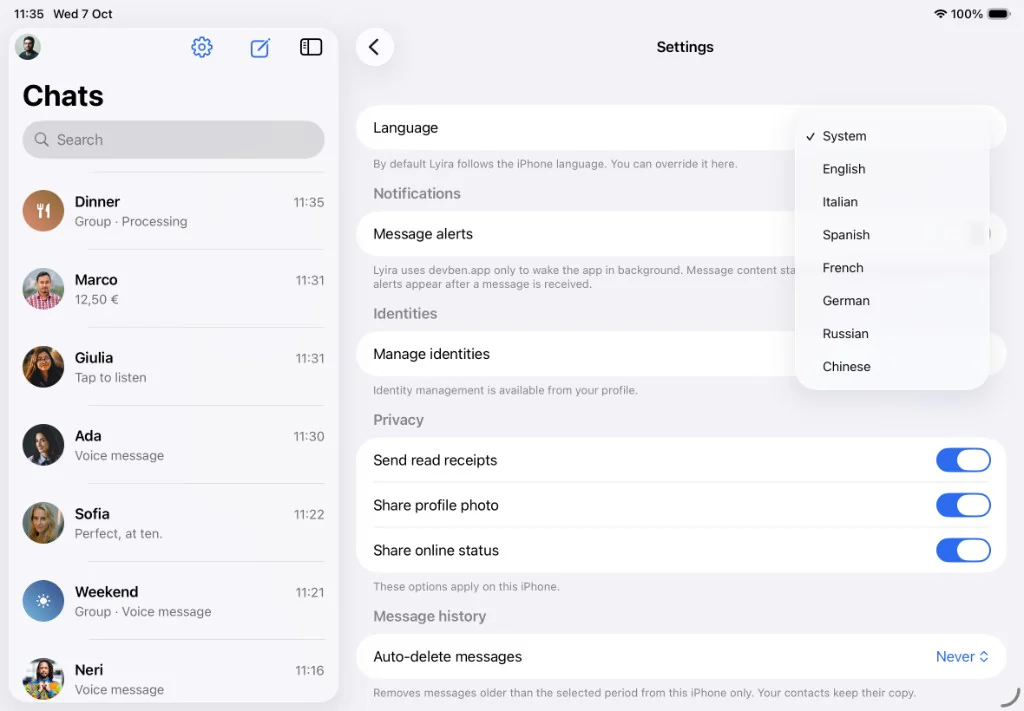
12. Privacy
Choose what to share.
Turn read receipts, profile photo and online status on or off whenever you want.
Privacy by design
No central archive. No data sold.
- Chats and keys on your device.
- Contacts via QR only.
- Push alerts without message text.
- No global directory.
Questions
Do I need an account?
No. Lyira has no cloud account. Your identity stays on the device, with keys in the Keychain.
How do I add someone?
Show your QR code or scan theirs. There is no global directory.
What is Lyira Pay?
Optional in-chat payments, direct or split in a group. Set up in the app with Apple Pay. Funds are processed by Stripe.
When on the App Store?
Lyira is being prepared for the App Store. This page will update as soon as the build is available.
Stays with you.
Your chat.
App StoreComing soon to the App Store